Pluralsight – a short review

Down at DevWeek 2013, I was given a card for one month on Pluralsight; they do video courses for all manner of programming and technology courses. 

I activated it this weekend, and drank from the firehose. I’ve gone through several courses in a really short time. In that time, I’ve also been able to cut some working code in the new tech, and shore up some existing knowledge. Here’s what I’ve figured out;

  • Sometimes, video is much faster to absorb than books. If you learn that way, give them a look.
  • The courses are comprehensive. By that I mean that I feel more ‘armed’ than than the ‘thirty minutes of tutorials and short how-to videos’ approach to learning. In that, they are like a book.
  • They seem to have courses for every buzzword; 3 on node.js, 5 on nosql, 2 on OData, 16 on Azure. And loads on the staples; 33 on SQL Server, 28 on JavaScript,  12 on iOS, 38 on ASP.NET. And 73 on SharePoint (shudder. It must need a lot of explaining…)

I’ve stuck in my credit card details because I think I’m going to benefit greatly. 

I know this is a terribly positive review. I’m not affiliated in any way. 🙂

LiveReload; tightening the loop of web development

A lovely little discovery for me recently is LiveReload. It’s an file watcher app, and associated browser plugins, that will look over your HTML, CSS, and JavaScript files. When they change, the page you are developing reloads. 

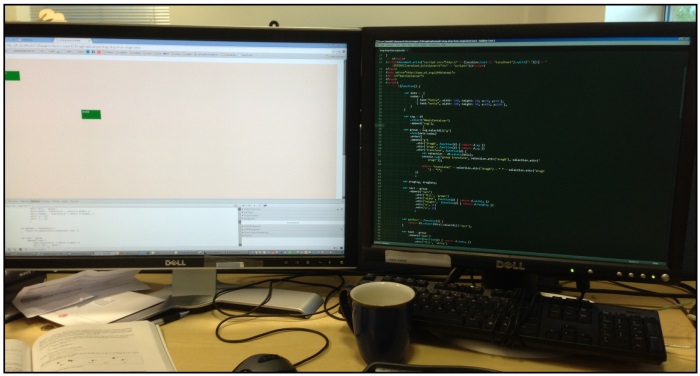
What that means is that in a two-monitor system,  you can have your text editor in one window, and the browser in the other, and a simple save in the text editor reloads the page in the browser;

Image

This helps development, especially things like developing layouts or d3 visualizations because as soon as you save, you see the effects of your change. This means you don’t need to grab the mouse, select the browser, and refresh the page; you just keep on typing.

This also works really nicely when you’re looking at a jasmine spec runner; you can hack on your JavaScript without having to go to the browser at all; the browser now becomes a kind of status monitor, constantly telling you about the health of your code. 

Basic operation;

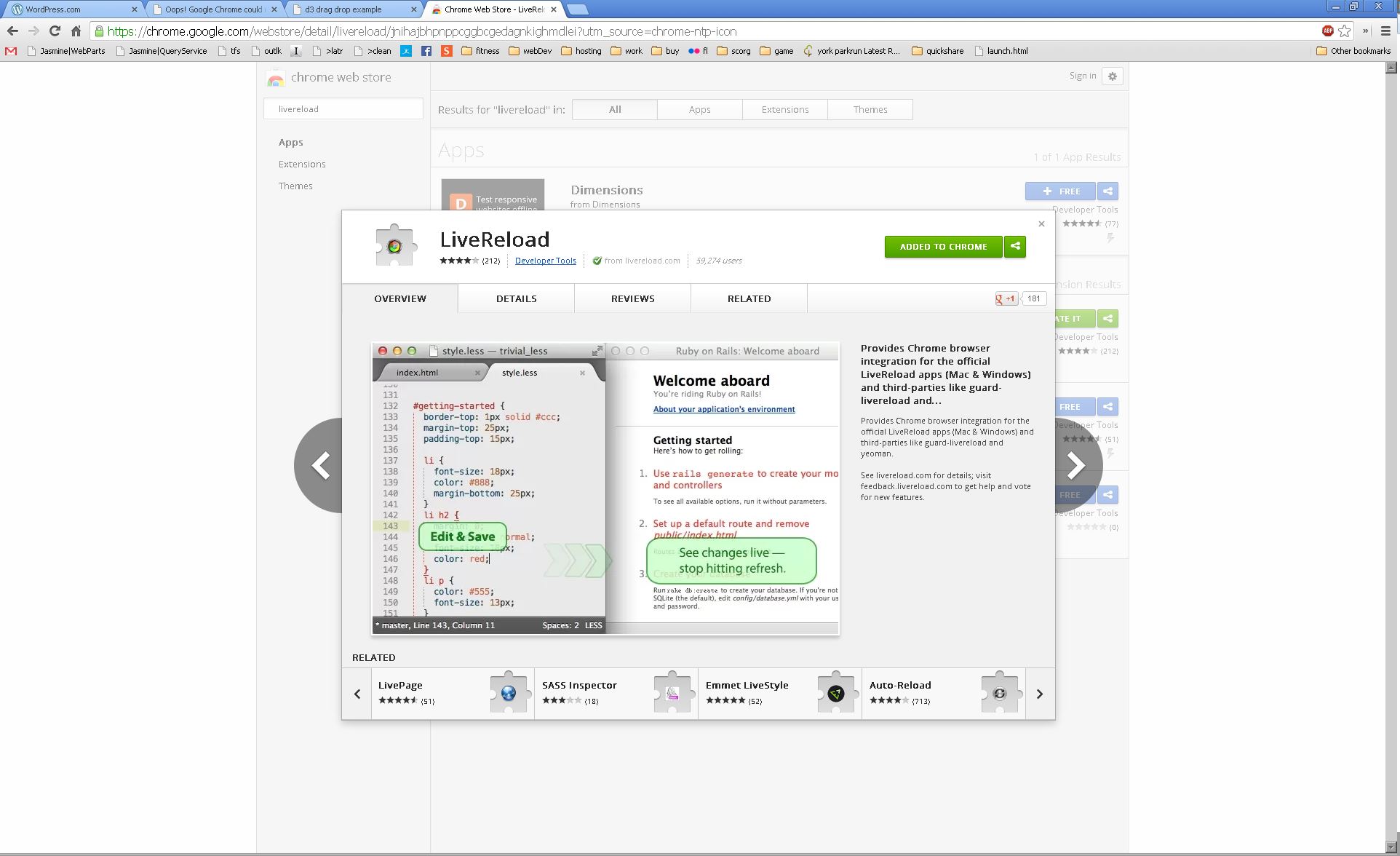
1. Install the chrome plugin;

Image

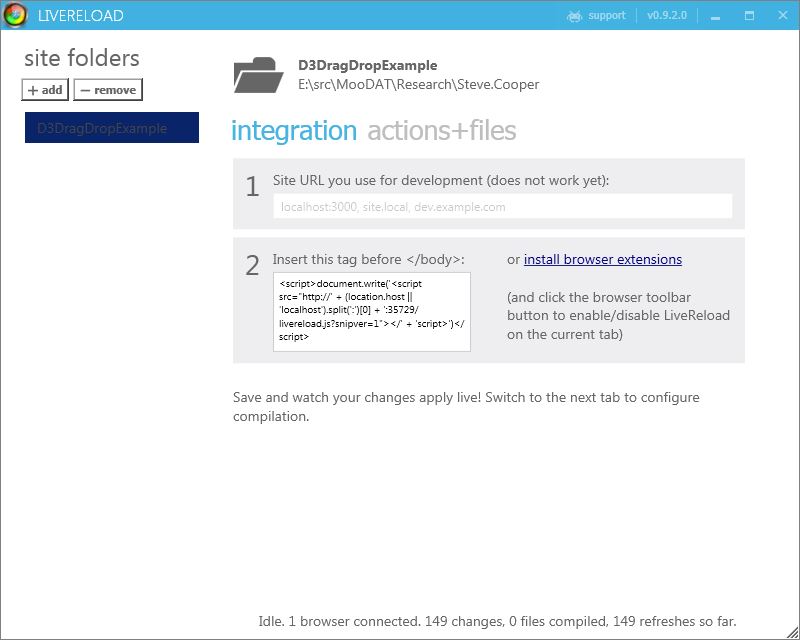
2. Install LiveReload. It looks like this;

Image

3) Use the ‘+ add’ button to start monitoring a folder

4) Copy the code snippet in the box marked ‘2’ above into the <head> tag of your web page.

5) Load the page in chrome, and click the LiveReload button that now sits at the right-hand-side of the addressbar.

That’s it! LiveReload will now refresh your pages for you as you save.

An Advanced Wireframe Development Platform

I like using wireframes as a very cheap and cheerful way to chat with product users about what they could get. It’s a great way to drive out ambiguity — everyone can gather round a picture and agree that this particular picture does the sort of thing they want, in the kind of way they expect. You can get a long way with a good picture. 

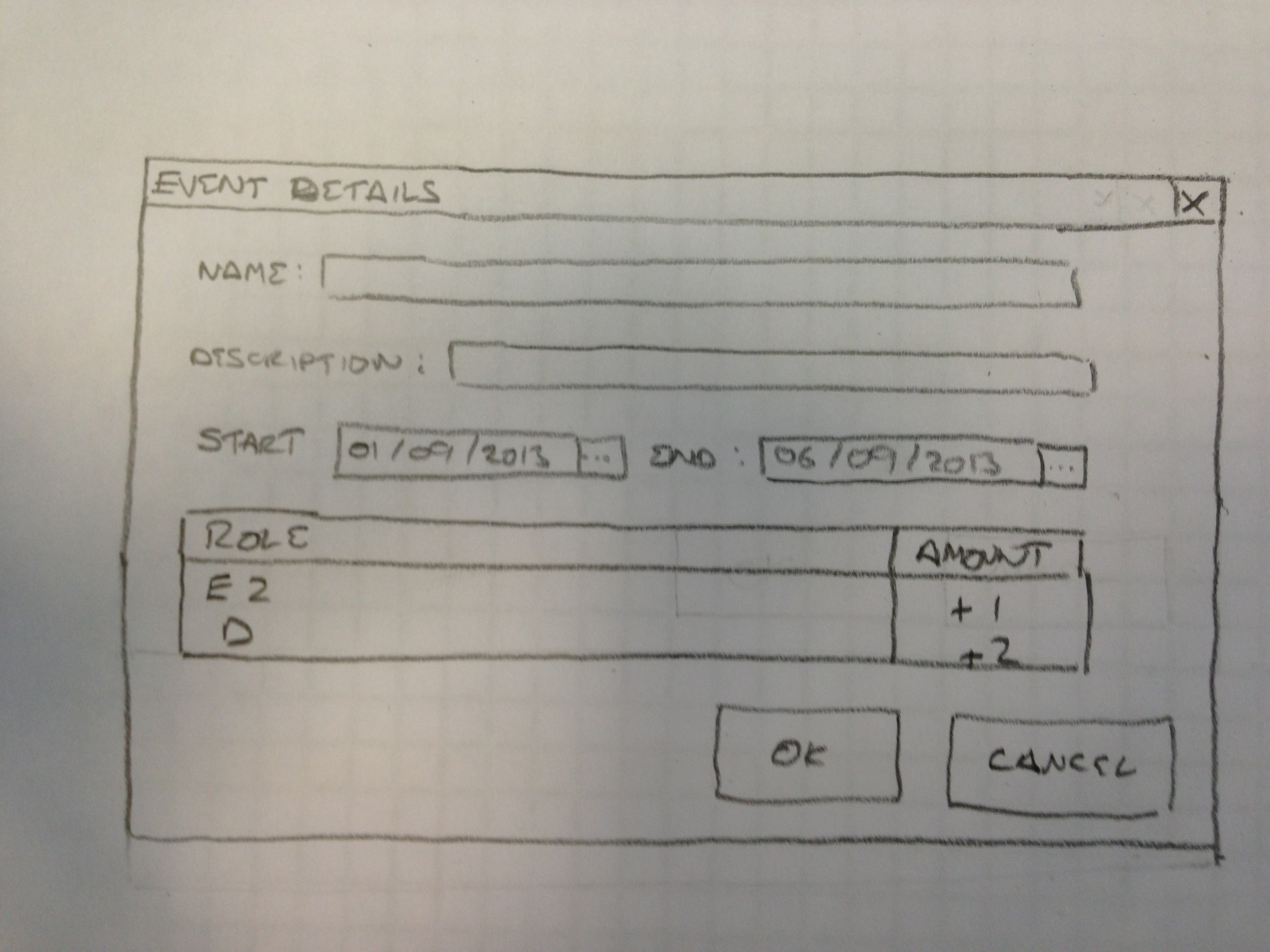
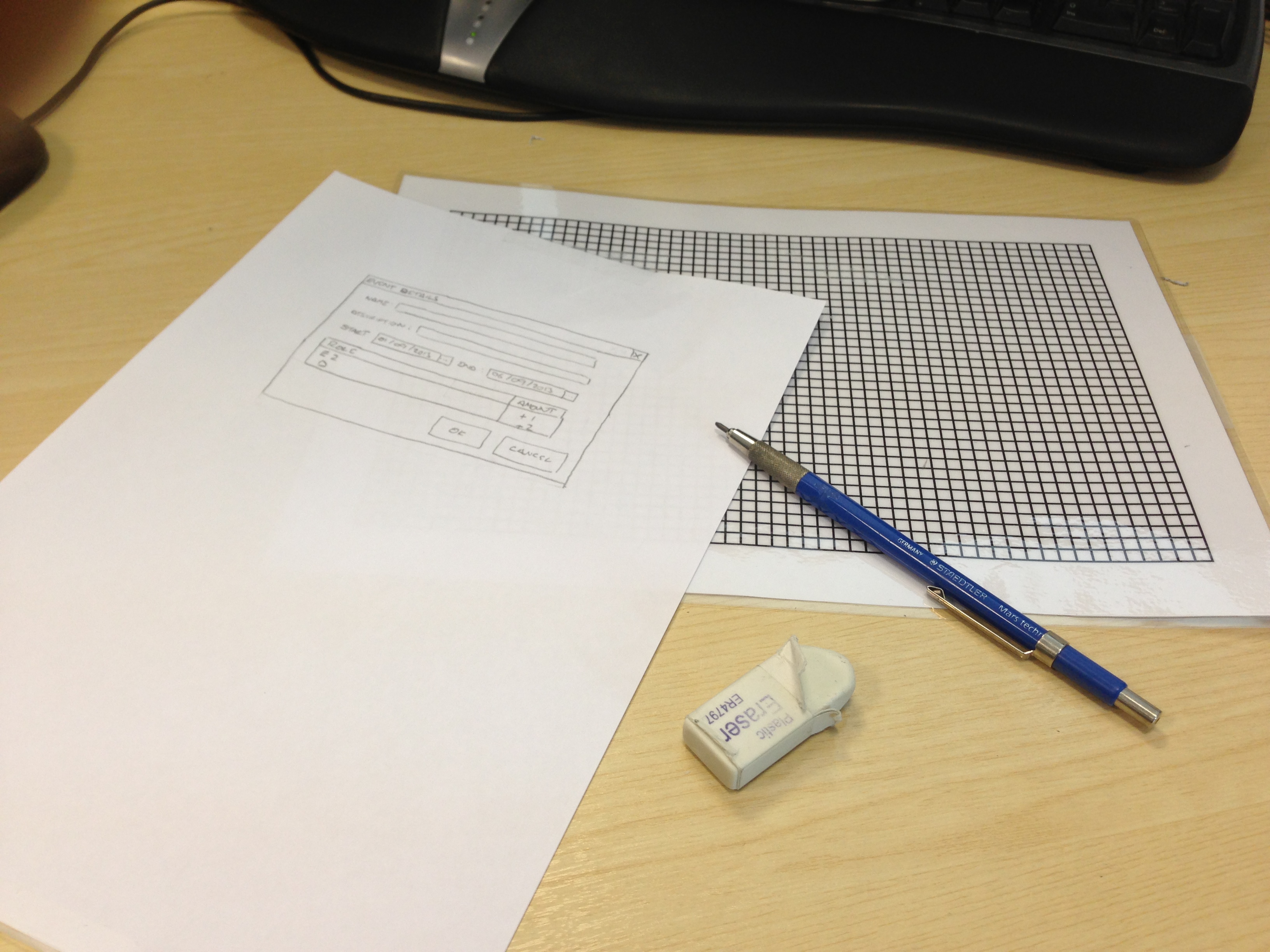
Before you turn to software, though, consider the humble pencil and paper drawing;

027

Pop this in front of a customer and they tend to be able to see that it’s doing what they want, or they get the feeling that it’s not good enough, and a conversation ensues that saves you a whole bit of development. 

But how do you create such beautiful-looking wireframes? Perhaps with a piece of advanced software like Balsamiq mockups? It’s a lovely bit of work, but sometimes you can get that cheap, scrappy look for nothing. Here’s what I’m using;

graph paper mockups 

The grid is a 5mm grid printed out from http://www.printfreegraphpaper.com/, and laminated. When you pop it under a piece of paper, the grid shows through and you can sketch out windows, scrollbars, and dropdowns to your heart’s content. 

If you need to get these onto a computer — say, to email them or stick them in Word — take a photo with your phone and upload it. I take a photo and open Dropbox on the phone; the picture is uploaded and ready to go.

So, not entirely lo-fi. But you’ve got a smartphone already, don’t you?

And if you enjoy that, you’ll probably also enjoy the Hipster PDA.

An algorithm for choosing your conference courses

So it seems I might have had better luck choosing courses than my colleague. Both of us are experienced programmers looking for info on new technologies. Here’s what seems to work when choosing a course:

Go for specific over general. Dejan Sarka’s talk on temporal data in SQL server, and Dominick Baier’s talk in WebAPI authentication patterns were very targeted — in Sarka’s case, to just one C# class and the way it could be used. Both were excellent, and full of ‘real’ information on exactly the type of code you might want to write tomorrow. My colleague has been going to more general talks, with names matching the regex /design pattern|unit testing|principles/, and those seem to be targeted to more of a beginner audience, or to someone who hasn’t been so actively following the industry.

Topaz – Transient Fault Handling Application Block

Here’s a neat little NuGet package. The Transient Fault Handling Application Block for Windows Azure. What it does is help you write code which connects to Windows Azure SQL Database, which is of course on the internet and therefore a bit more prone to connection issues. When these connection errors do occur, the application block will retry intelligently. Retry logic is a best practice for Windows Azure, and the application block makes it easier

DAC deployment and Windows Azure.

So here’s a nifty little feature. Visual Studio has a project type for SQL Server database projects. You write some scripts to create your database;

CREATE TABLE [dbo].[Customers]
(
[Id] INT NOT NULL PRIMARY KEY,
[Name] NCHAR(255) NOT NULL
)

Now that’s fine and dandy. You design your database and label it version 1.0.0. You build the project and it creates a ‘.dacbac’ file — a package which can be installed to Windows Azure to create your database. All is good, and your cloud app works happily on top of your database.

But let’s say the next version of your software requires some datbase changes. You update your creation script in SQL Server and label the version 1.1.0, a .1 incremental release.

CREATE TABLE [dbo].[Customers]
(
[Id] INT NOT NULL PRIMARY KEY,
[Name] NCHAR(255) NOT NULL,
[Expired] BIT NOT NULL DEFAULT FALSE
)

Now you go ahead and build again. You get a new .dacbac file. When you try to upload the new definition, The Windows Azure service scans the SQL script, notices the columns, compares it to the existing database, and generates a change script which will upgrade from 1.0 to 1.1.

Now that’s really snazzy. Previously, developers would exect to write ‘patching’ scripts; something starting

-- 1.0 to 1.1 upgrade script
ALTER TABLE [dbo].[Customers]
...

but notice that no such ALTER statements are being made. It’s just two CREATE statements, being intelligently compared. I asked Nino Filipe, and he confirmed that the service itself is actually parsing the file, figuring out the effect, comparing it to the current state, and generating a new script with the ALTER statements itself, so you don’t have to.

Cloud-first features from Microsoft

In his talk, Nuno Filipe mentioned in passing something I found interesting, so I present it here for you to find just as interesting. He said

“Microsoft are promising to deliver features first on the cloud, then later on-premises”

That’s a paraphrase. One clue is that everyone uses the Jargon on-prem for ‘on premises,’ or ‘software I installed on a machine’. Use it — you’ll sound like you know what you’re talking about.

But the sentiment is not just an empty threat. A really useful feature on Azure is SQL Federation, a feature that doesn’t exist yet in release versions of SQL 2012, but which is available right now on Azure. It’s a feature which helps you scale out your database to many different servers, and gives you the ability to split your database up by certain criteria. An example would be to create one ‘sub-database’ per customer, or one ‘sub-database’ per geographic region, or some other split. Then you can do things like this pseudocode;

-- switch to using the sub-database for europe
USE FEDERATION geo (location='europe') WITH FILTERING=ON -- get all the european projects
SELECT * FROM Projects -- now switch back to the master database
USE FEDERATION geo RESET -- now get all projects across the world
SELECT * FROM Projects

So the plan, clearly, is to tease people onto Azure with the latest and greatest features. I’m guessing they’ll do the same with other features. I bet IIS 9 will roll out first on Azure, and Exchange 2015…

Creating a SQL Server database on Windows Azure

(Just to address a point of confusion. In the old days, Microsoft called their cloud-based SQL Server cloud service ‘Windows Azure’. Then they made their cloud service do virtual machines and apps and whatnot, and they renamed the SQL Server bit ‘Windows Azure Sql Database’ or something. This post is about the SQL Server thing, whatever it’s called. On with the show, anyway.)

“Just give me a connection to a SQL instance”. That’s the promise of Windows Azure Sql Database. Out there somewhere in the cloud, Microsoft will give you a SQL server instance, into which you can create databases, and it’s supposed to function exactly like a SQL Server instance you’ve installed on a local machine. Or you can use it as the back-end store for an app running on Azure, of course, but for now, let’s just consider the use of it as a raw SQL Server instance.

The story is pretty complete. You create your instance through the Azure control panel, tell it some admin credentials, and then you’ve got an instance. You can open up Management Studio now if you want, and connect to your instance by typing in something like

w2490825.database.windows.net 

and you now have Management Studio; you can now CREATE DATABASE or whatever you want to do. (Technically, you get a thing called a `TDS endpoint`. Google it.)

So databases created on Azure are replicated twice — you have a master copy and two slaves, and writes have to hit the master and at least one slave. That adds a little bit of latency, so the suggestion is that you write chunky, unchatty commands. Seems reasonable, I guess. But you get replication for free.

Now, don’t go confusing that with backups. If you `TRUNCATE TABLE PROJECTS` on your master you can’t switch to a slave to restore to an earlier state — you just truncated all three copies. This is just for redundancy in case a meteor strike hits the rack with your master DB on it. You still need to do regular backups.

And I say backups, but you don’t get those the same way. Actually, technically, you can’t do backup or restore. Not with `.bak` files. Instead, there is an import/export service that you can use. The .bak files contain transaction logs, and those would contain sensitive data from other users of the datacentre, so you can’t get ’em.